Custom business software

When your operation no longer fits the tools, build software around the work.

LaPage turns business workflows that depend on spreadsheets, messages, manual reminders, and rigid software into an owned system your team can understand, control, and improve.

Designed around the way your operation actually worksOne shared view of records, status, decisions, and responsibilitiesClear access, documentation, deployment, and supportBuilt to evolve as the business changes
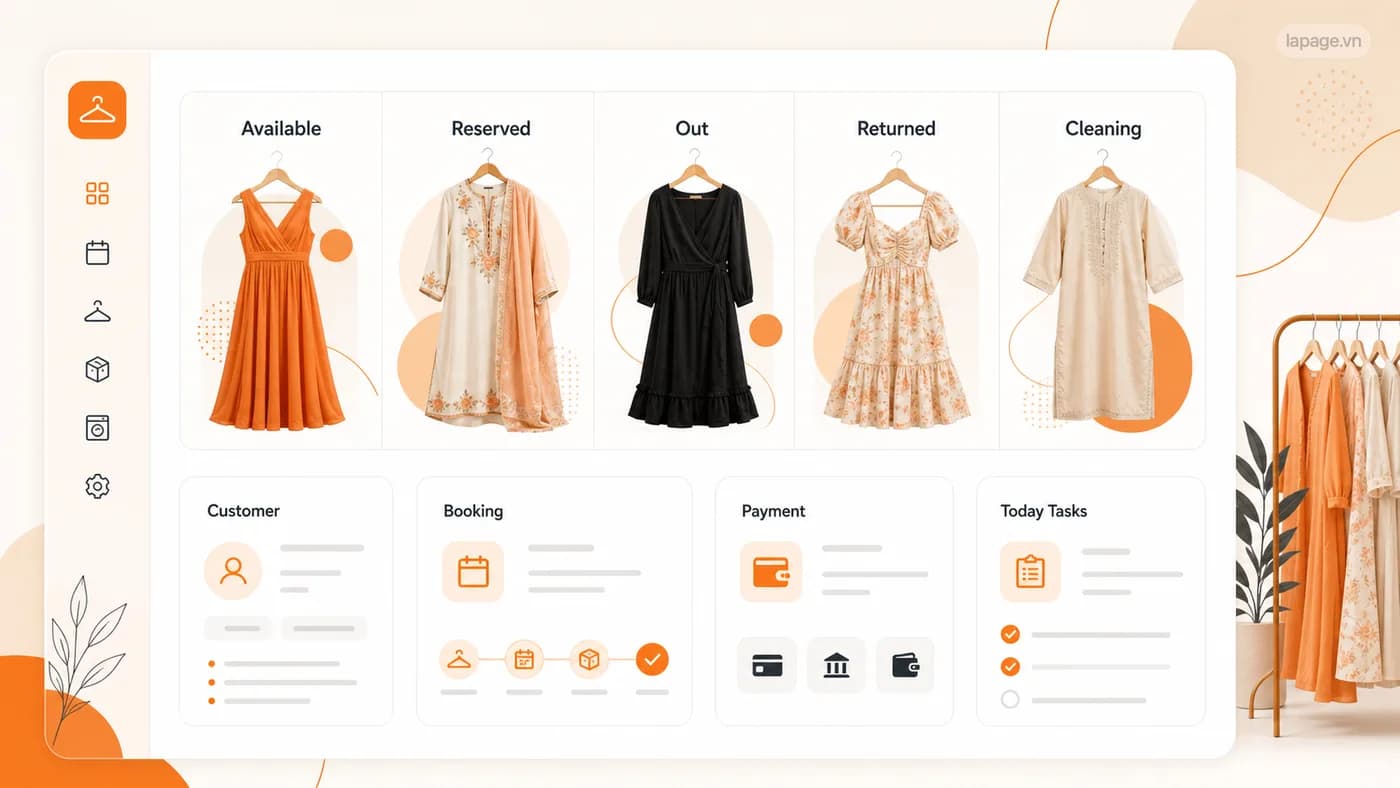
A privacy-safe LaPage clothing rental operations interface showing item status, customers, bookings, payments, and today's tasks in one system.
Rental operations systemA privacy-safe interface view from LaPage project work.

What LaPage can build

Software for the parts of your operation that standard tools cannot handle well.

LaPage builds the working system, not just the screen. Records, responsibilities, approvals, and daily actions are designed around how the business needs to operate.

What we build

Internal operations system

One workspace for the records, tasks, status, responsibilities, and exceptions behind daily operations.

How it helps

The team follows the same process and can see what is complete, waiting, late, or assigned to somebody else.

Business value

The operation becomes more consistent and less dependent on personal knowledge.
What we build

Customer or partner portal

A secure place for customers, suppliers, dealers, or partners to submit requests, view status, and access the right information.

How it helps

People can complete routine tasks without exchanging long message threads or asking staff for every update.

Business value

Service is clearer while the team spends less time on repetitive coordination.

What we build

Booking and service platform

A system for availability, bookings, packages, payments, service history, confirmations, and staff actions.

How it helps

Customers and staff work from the same current schedule and service record.

Business value

The business can manage capacity and customer commitments with fewer coordination gaps.

What we build

Workflow-specific dashboard

A working view built around the tasks, approvals, exceptions, and operating status each role needs.

How it helps

Staff see what requires action instead of searching across generic reports, spreadsheets, and messages.

Business value

Owners gain clearer operational control, and teams can make decisions from the same view.

What we build

Connected records and approvals

Customers, orders, inventory, payments, documents, and decisions are connected with appropriate access and approval rules.

How it helps

A change is recorded once, related work stays in context, and important approvals leave a visible history.

Business value

The business reduces duplicate records and gains clearer accountability.

What we build

Mobile app where it creates a real advantage

A mobile app for work that depends on the camera, location, field updates, notifications, or access away from a desk.

How it helps

Staff can complete the work where it happens instead of returning to a computer or copying notes later.

Business value

Field and service work becomes easier to complete accurately at the point of action.

When current tools stop fitting

The warning signs appear in everyday work.

The problem is rarely that the business has no software. The problem is that people must keep repairing the gaps between the software and the real operation.

The same information is entered more than once

Customer, order, booking, inventory, or payment details are copied between spreadsheets, messages, and separate systems.

Work depends on reminders and personal memory

The next step happens because one experienced person remembers it, not because the operation makes responsibility visible.

Generic software forces the wrong workflow

The team adds side spreadsheets, notes, and manual workarounds because the available product cannot represent how the business actually works.

No one sees the complete operating picture

Each department can see its own part, but management cannot follow the customer, work, money, and exceptions from beginning to end.

Small changes require disproportionate effort

A new service rule, approval step, customer type, or report creates another manual process instead of becoming part of the system.

Systems we have delivered

Six practical systems built around work Vietnamese SMEs already do.

These are not generic dashboards with a new logo. Each system follows the real handoffs, approvals, money, and exceptions that determine whether daily work moves or gets stuck.

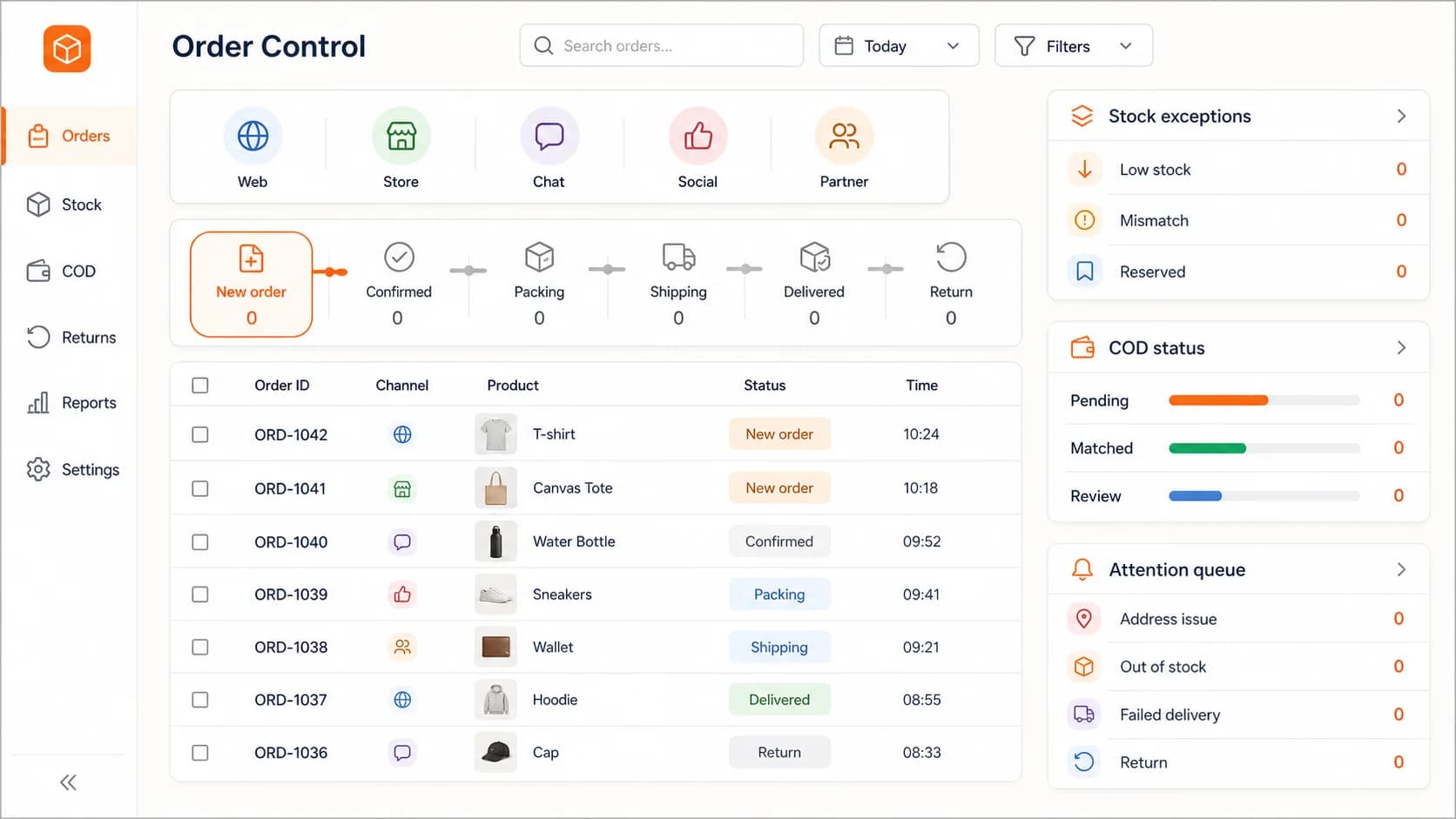
LaPage multi-channel order control interface with order stages, stock exceptions, COD status, and an attention queue.

Retail and social commerce

01

Multi-channel orders, stock, delivery, and COD

We built one order-control workspace for a retailer receiving sales from its website, social conversations, marketplaces, and direct channels. The team no longer has to reconstruct the order journey across separate screens and spreadsheets.

The system connects: order source, confirmation, stock reservation, packing, carrier status, COD reconciliation, returns, and customer follow-up.

The owner can control: orders waiting too long, stock conflicts, failed deliveries, returned parcels, and COD records that need review.

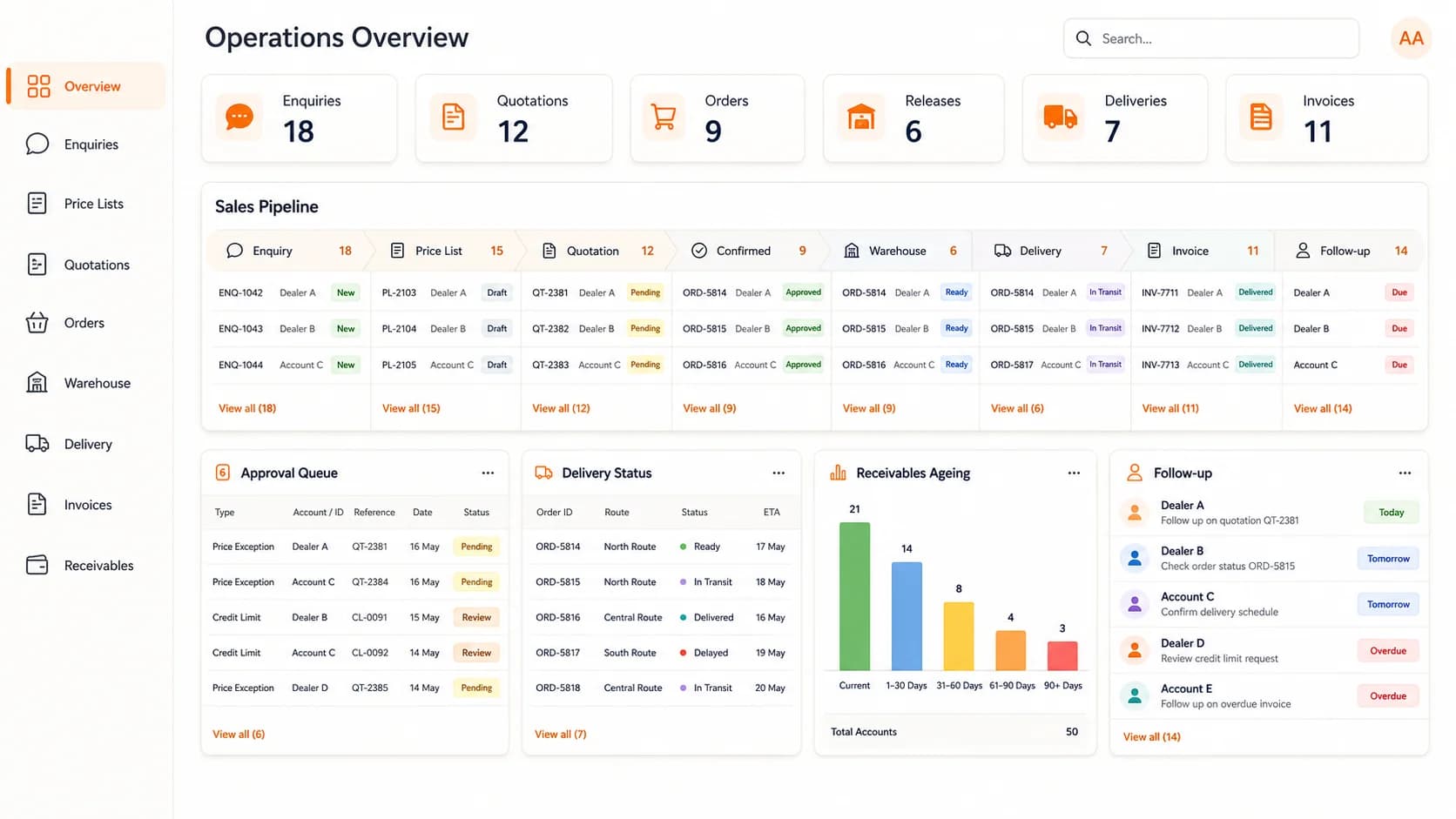
LaPage B2B distributor interface connecting dealer enquiries, quotations, warehouse release, delivery, invoices, and receivables.

B2B distribution

02

Dealer sales, delivery, and receivables

We built a distributor workspace that keeps the commercial promise connected to warehouse release, delivery, invoice, and debt collection instead of ending the process when a quotation becomes an order.

The system connects: dealer enquiry, customer price list, quotation, price and credit approval, order, warehouse release, delivery, invoice, and collection follow-up.

The owner can control: price exceptions, credit exposure, delayed releases, delivery problems, overdue receivables, and the next dealer follow-up.

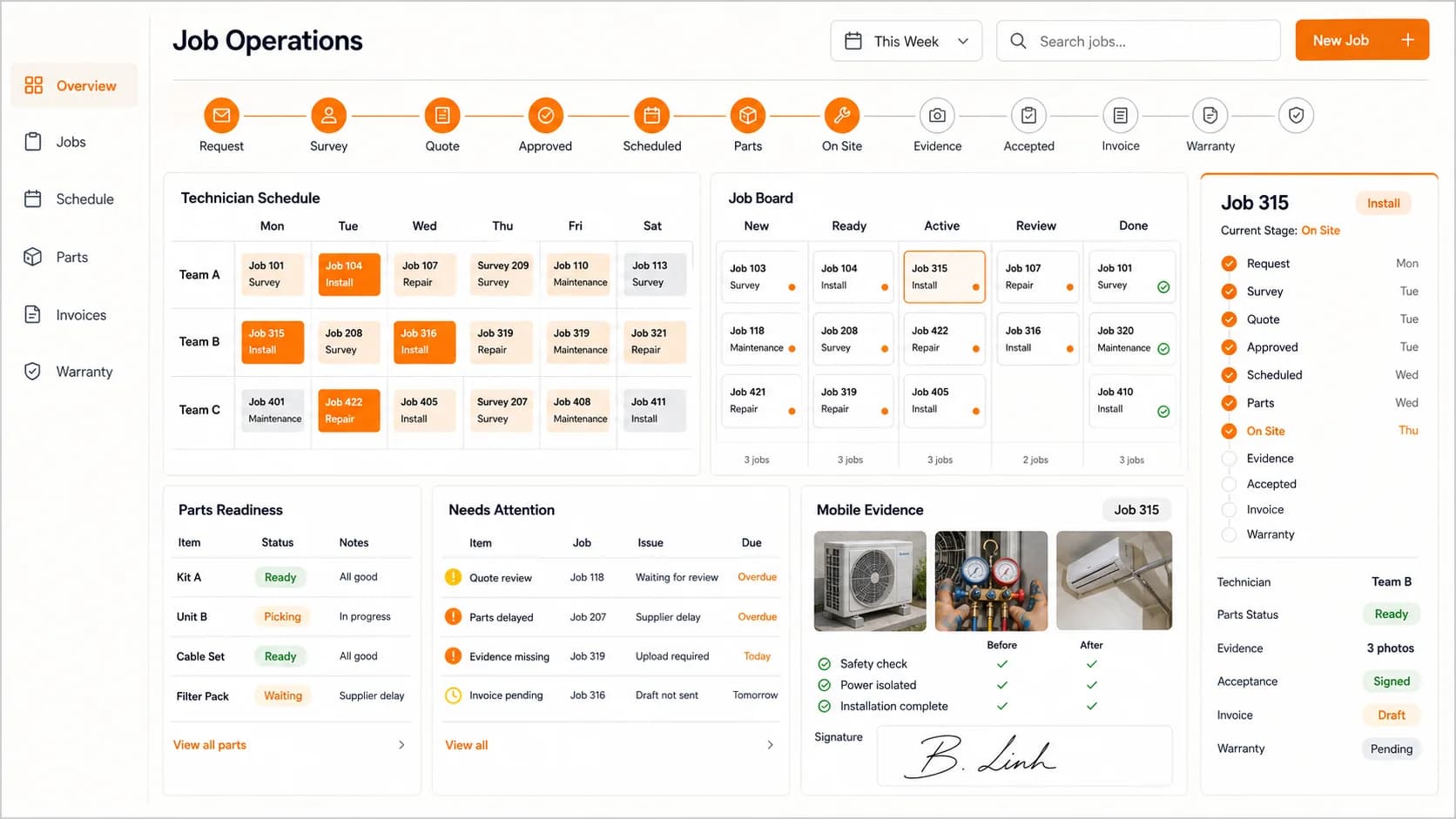
LaPage field-service operations interface with technician schedules, job stages, parts readiness, site evidence, and warranty status.

Installation and field service

03

Jobs, technicians, parts, evidence, and warranty

We built a field-service system for businesses that survey, install, repair, or maintain equipment at customer locations. Office staff and technicians work from the same job instead of coordinating through calls and scattered chat messages.

The system connects: service request, site survey, quotation, approval, schedule, parts preparation, on-site work, photo evidence, acceptance, invoice, and warranty.

The owner can control: unassigned jobs, missing parts, late visits, incomplete evidence, unsigned acceptance, uninvoiced work, and warranty follow-up.

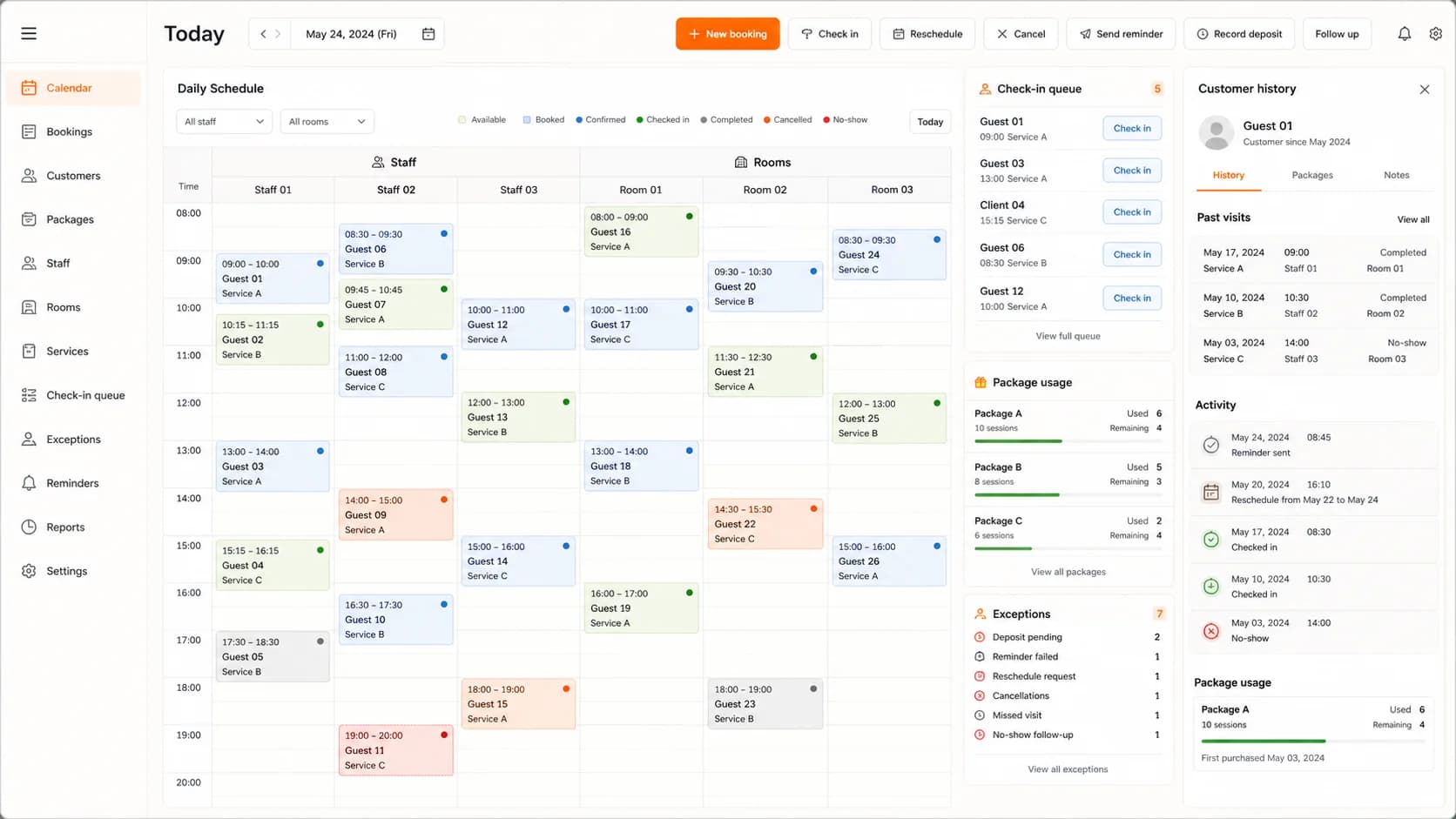
LaPage appointment and service-package interface with a daily schedule, room and staff resources, check-in queue, package usage, and exceptions.

Appointments and prepaid services

04

Bookings, rooms, staff, deposits, and service packages

We built an appointment system for a service business that sells both individual visits and prepaid packages. The schedule reflects the customer, staff member, room, deposit, and remaining entitlement together.

The system connects: booking, staff and room availability, confirmation, deposit, reminder, check-in, package usage, rescheduling, cancellation, and visit history.

The owner can control: double booking, unused capacity, missing deposits, no-shows, failed reminders, package balances, and customers who need follow-up.

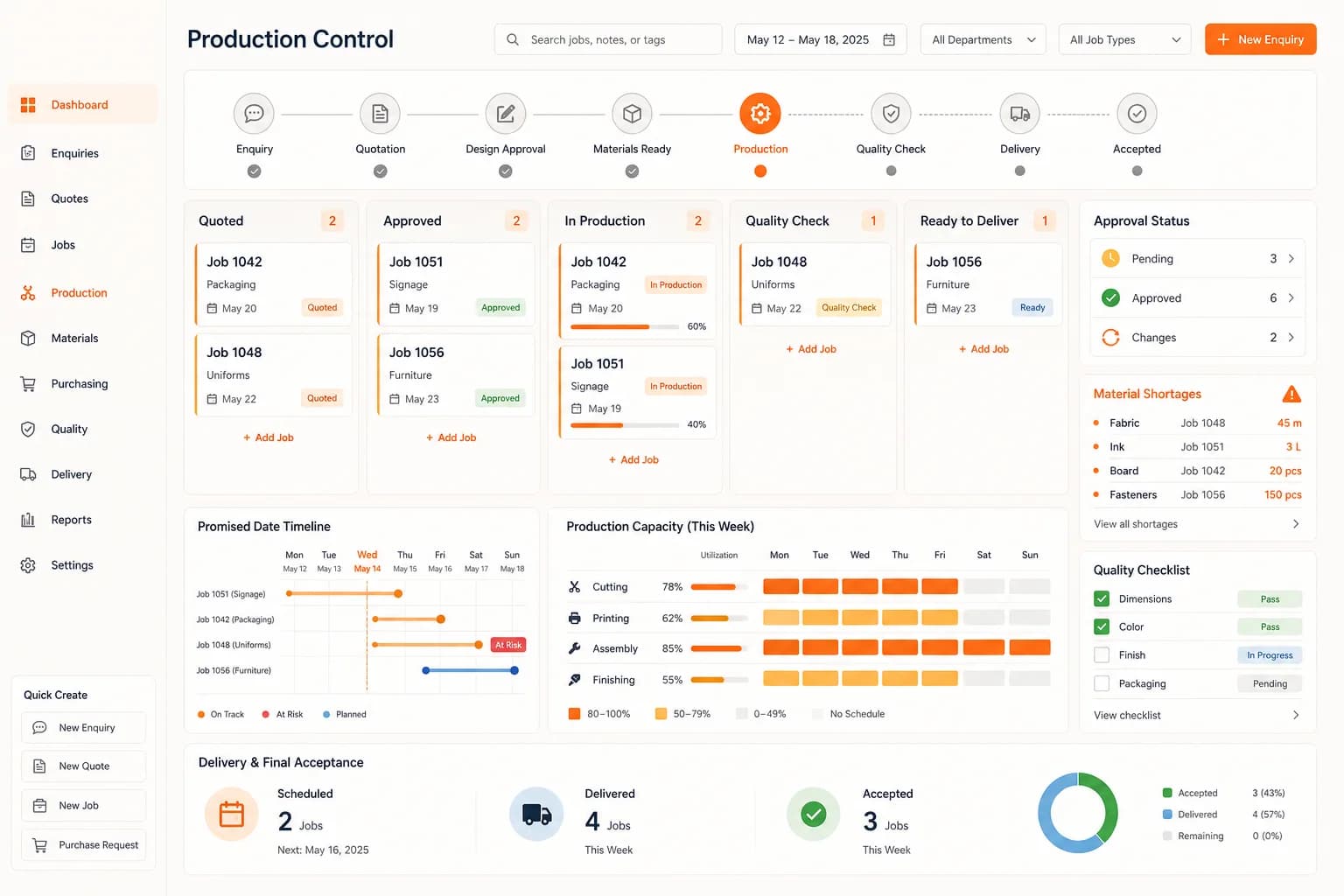
LaPage made-to-order production interface with approval stages, job board, material shortages, promised dates, capacity, and quality checks.

Made-to-order production

05

From quotation and design approval to production and delivery

We built a production-control system for work that is only made after the customer approves the specification. Sales, purchasing, production, quality, and delivery can follow the same promised job from beginning to end.

The system connects: enquiry, quotation, design approval, material readiness, production stages, quality check, delivery, and final acceptance.

The owner can control: approval changes, material shortages, overloaded workstations, jobs at risk of missing the promised date, quality issues, and delivery readiness.

LaPage rental operations interface connecting clothing availability, bookings, customers, payments, returns, and readiness for the next rental.

Rental and reusable assets

06

Availability, reservation, handover, return, and readiness

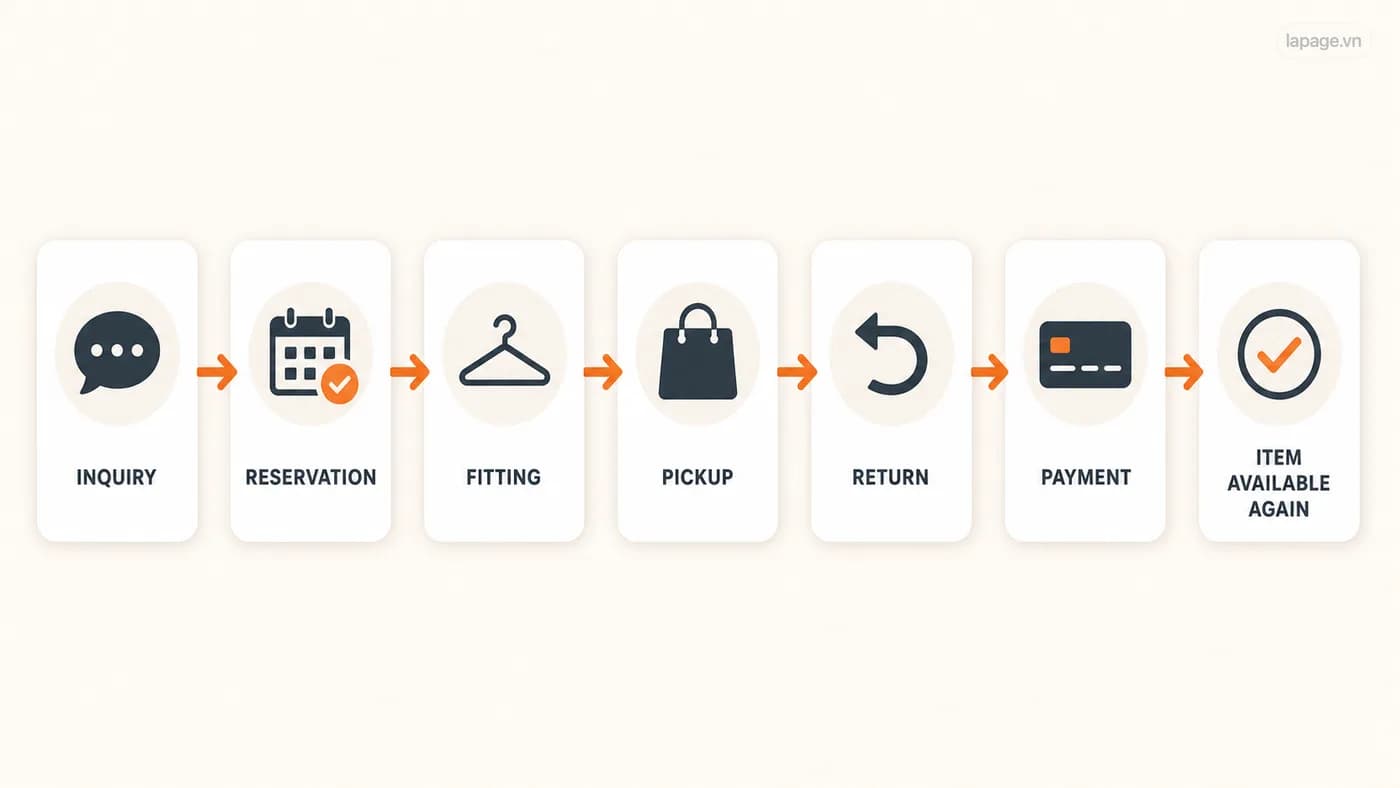
We built a rental operating system for Tiệm Thanh Xuân, where the same clothing item must return safely into availability after each booking. The system follows the item and the customer through a repeated lifecycle rather than treating every transaction as a one-time sale.

The system connects: availability, customer request, reservation, fitting, deposit, pickup, return, payment, condition check, cleaning, and availability again.

The owner can control: booking conflicts, item status, upcoming handovers and returns, outstanding payments, damage or cleaning work, and what can be rented next.

One connected operating story

Follow the work from the first request to the final responsibility.

Consider a business that receives an enquiry, schedules a service, assigns work, collects payment, and follows up afterward. When each step lives in a different place, people become the integration. Custom software can make the complete journey visible.

01

Request received

The customer, request, source, and required information enter one record.

02

Work planned

The system checks availability, rules, required documents, price, and responsible people.

03

Service delivered

The team sees the current status, next action, deadline, and any exception that needs attention.

04

Money recorded

Deposits, payments, balances, adjustments, or refunds remain connected to the work.

05

History retained

The business keeps the customer history, outcome, documents, and follow-up context for future use.

The business owns the operating history, not only the interface.

Every role works from the same operation, while access and responsibilities remain appropriate to that role.

Web app or mobile app?

Choose the format that makes the work easier, not the proposal more impressive.

Most business systems should begin with the simplest format that supports the real users and operating environment.

Usually the practical starting point

Responsive web app

Prefer a web app when the team can work through a browser and values simple rollout, access from different devices, and easier maintenance.

  • Office and mixed-device teams
  • Internal administration and portals
  • Frequent updates without app-store releases
  • Work that stays connected to the internet
Responsive access
Use when the device creates an advantage

Mobile app

Consider an installed app when mobile-specific capabilities materially improve the operation.

  • Offline or unreliable-connectivity work
  • Push notifications that require immediate response
  • Camera, GPS, barcode, or field capture
  • Frequent installed use by field or frontline teams
LaPage does not recommend a mobile app when a responsive web app can solve the problem with less complexity.

Discovery before development

First make the operation clear. Then decide what software should exist.

A feature list is not enough. We map the work, decisions, information, responsibility, and exceptions before proposing the system.

01

Understand the current operation

Observe how people complete the work today, including the spreadsheets, messages, workarounds, and personal knowledge involved.

02

Map users and responsibilities

Identify who creates, reviews, approves, changes, and needs visibility into each part of the operation.

03

Define information and decisions

Clarify which records matter, what statuses mean, which rules apply, and where judgment remains with people.

04

Design normal and exception paths

Account for missing information, delays, cancellations, corrections, failures, and work that needs escalation.

05

Prioritize the first useful release

Build the smallest coherent system that gives the team meaningful operational control, then improve it from real use.

Ownership and delivery

The software should become a business asset, not another dependency nobody understands.

The delivery must leave the business with clear control over its information, operation, access, and future decisions.

What remains outside the promise

Custom software does not remove the need for process ownership, clean information, responsible users, and ongoing decisions. We make those responsibilities visible instead of hiding them behind software.

Source and system ownership

Commercial scope defines the source, infrastructure, licenses, and assets the customer owns or controls.

Data access and portability

Business records should remain accessible, exportable, and governed by agreed roles and Permissions.

Maintainable delivery

Architecture, environments, testing, documentation, and deployment are organized so the system can continue to evolve.

Training and operating handover

The responsible team receives working guidance, role expectations, and a clear path for support and improvement.

A conceptual clothing rental lifecycle moving from enquiry and reservation through fitting, pickup, return, payment, and item availability again.
Supported practical example

Tiệm Thanh Xuân: turning a clothing-rental lifecycle into an operational system.

Tiệm Thanh Xuân is a women's clothing rental brand. LaPage supported the business by building a rental system intended to help manage rentals, cashflow information, and related daily operations.

  • A rental item moves through repeated statuses rather than leaving the business after one sale.
  • Bookings connect dates, customers, item availability, and payment information.
  • The operating value is clearer control over the workflow, records, and current status.

The interface shown is a privacy-safe reconstruction of the operating workflow, so it contains no customer records. We do not attach unverified time-saving or revenue figures to the project.

See more case studies

Start with the operating problem

Where has your operation outgrown its current tools?

Bring one workflow that relies on spreadsheets, messages, manual reminders, or software workarounds. LaPage will help clarify the users, information, decisions, and first useful system scope.

Call: +84 981 690 658
Message us on Facebook
Zalo
Contact us on Zalo
Contact us